How Maiker members opt in to text messages
Maiker sends one type of text message: a one time code used to sign in to the app. This page shows exactly where and how a member consents to receive it.
Where consent is collected
Consent is collected inside the Maiker mobile app, on the first screen a person sees. The member types their own US cell number into the phone number field and taps Send code. The consent language sits directly beneath that button, at the point the number is entered, so nobody can submit a number without it being on screen.
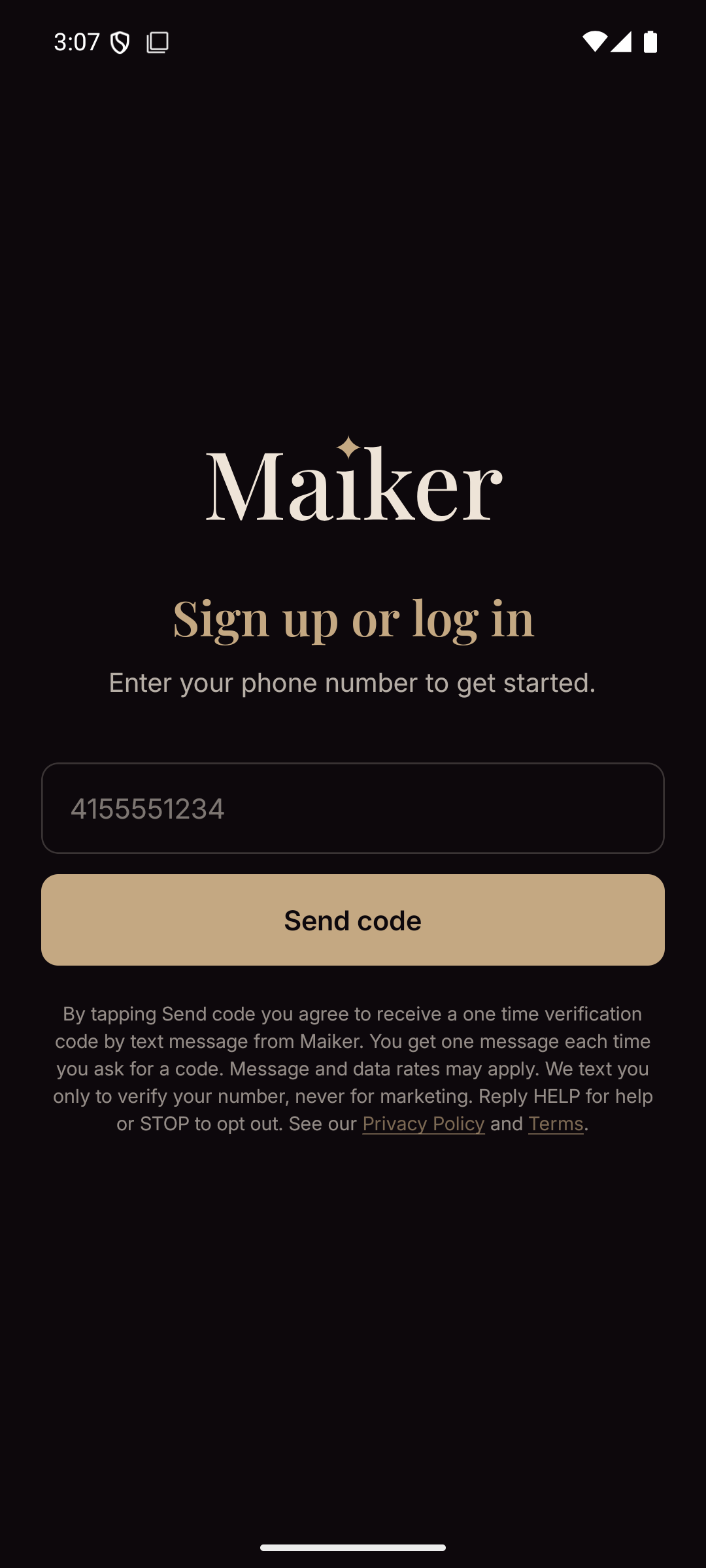
The Maiker sign-in screen. Consent language appears directly below the Send code button.
The exact wording on that screen
By tapping Send code you agree to receive a one time verification code by text message from Maiker. You get one message each time you ask for a code. Message and data rates may apply. We text you only to verify your number, never for marketing. Reply HELP for help or STOP to opt out. See our Privacy Policy and Terms.
Privacy Policy and Terms are tappable links that open meetmaiker.com/legal.
What is sent, and what is never sent
- Tapping Send code sends exactly one SMS containing a numeric one time code.
- Frequency is one message per sign in attempt, and only when the member asks for it.
- No marketing, promotional, or conversational messages are ever sent on this number.
- Reply HELP for help, or STOP to opt out. Replying STOP stops the codes, so signing in by text is unavailable until the member replies START.
- Message and data rates may apply.
Consent is never shared
Consent is collected by Maiker solely to authenticate that member's own account. Mobile information will not be shared with third parties or affiliates for marketing or promotional purposes. No mobile opt in data is sold, rented, or transferred to anyone for any purpose. The full statement is in the Text messages section of our Privacy Policy.